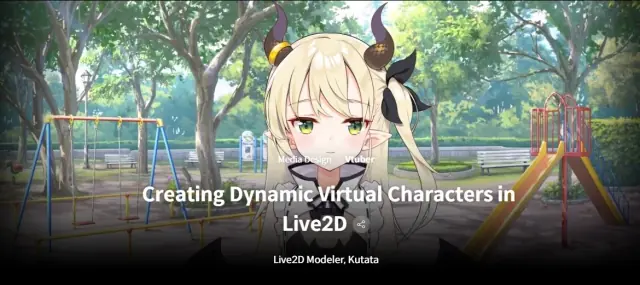
Study Class 3GB | Creating Dynamic Virtual Characters in Live2D
Live2D · Study Files
Enter the access code to open it in the archive.
Class Details Now Available Basic Total 19 videos, 12Hours 39Minutes Korean English, Traditional Chinese [Auto] Class materials included Curriculum In-Depth Look SECTION 01. A Beginner’s Guide to Creating Illustrations in Live2D 01. Basic VTuber Modeling for Illustrators Basic Principles of Animating a Drawing in Live2D How Drawing in Live2D is Different from Other Illustrations Minimum Requirements for Layer Separation Important Things to Note 02. Advanced VTube Modeling for Illustrators Layer Separation Tips to Improve Quality Animating Illustration Parts 03. Working on a Mini VTuber Character: Preparing an Illustration for Live2D Preparing an Illustration to Use in Live2D Modifying and Editing an Illustration in PSD Format Tips for Grouping Deciding Drawing Order Setting Up Clipping SECTION 02. For Beginners: Learn by Copying 04. Fundamental Concepts of Live2D Key Terms Used in Live2D Basic Flow and Procedure of a Project A Quick Guide to Tools 05. Rigging: Setting Up Vertices Setting Up Vertices Exploring Tools for Setting Up Vertices Vertex Values for Automatic Settings Recommended Usage of Manual and Automatic Settings Setting Up Vertices to Protect the Outline and Silhouette Things to Avoid 06. Rigging: The Basics of Deformers What is a Deformer? Understanding the Basics How to Create a Deformer Structure of a Deformer: A Parent-Child Relationship The Overall Structure of a Deformer 07. Rigging: Parameters (A) What is a Parameter? Understanding the Basics Inserting a Deformer into a Parameter Creating Motion 08. Rigging: Parameters (B) Making a Low-Quality Character 09. Rigging: Exporting a Model for Broadcasting Editing the Texture Atlas of a Created Model Exporting a Model Importing a File in VTube Studio + Tracking Settings in VTube Studio SECTION 03. Advanced Techniques to Achieve Higher Quality 10. Setting Up the Movements of Eyes, Eyebrows, and Pupils Adding a Three-Dimensional Effect to Pupils How to Save Time When Working on Eyes 11. Setting Up Mouth Movements Add Three-Dimensional Effects to the Mouth Special Parameters for Mouth Shapes Useful Tips for Adjusting Vertices for Mouth Movements 12. Face Rotation How to Create Corners to Rotate the Face Unique Strengths of Live2D Compared to 3D 13. Designing Dynamic Expressions Designing a Range of Dynamic Expressions 14. Physics Adjusting Parameters for Physics Setting Up Scene Blending for Physics SECTION 04. Details and Applications for Intermediate to Advanced Live2D Users 15. Additional Details Ways to Make the Chin Look Three-Dimensional Using Physical Operations of Multi-Staged Pendulums Resolving Unwanted Motion(Continuity and Unity of Motion) 16. Detailed Settings in VTube Studio Exploring the Settings in VTube Studio Relationships between VTube Studio Settings and Physics How to Make a Motion Look More Detailed 17. Techniques for a Three-Dimensional Look Making a Hidden Side Bang Adding a Three-Dimensional Effect to the Back of the Head Depicting Light and Shadow 18. Useful Retouching Tips The Best Solution: Texture Modification Deformer Value Adjustment and Editing Techniques A Solution for Details You Might Have Missed Effective Ways to Create Translucent Parts 19. Optimizing Techniques to Improve Quality and Skills Understanding What Affects Users’ Specifications How to Prevent Hard-to-Notice Critical Issues Managing Textures Managing Polygons Checking Clipping and Tiers