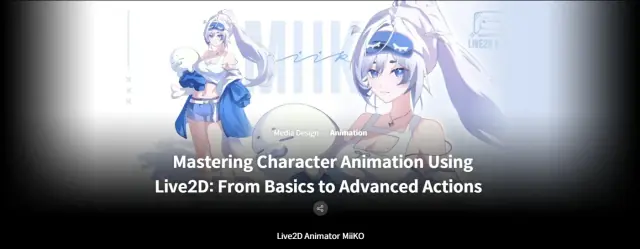
Study Class 27GB | Mastering Character Animation Using Live2D: From Basics to Advanced Actions
Live2D · Study Files
Enter the access code to open it in the archive.
Class Details: Basic~Advanced Total 30 videos, 27Hours 20Minutes English English [Auto], Traditional Chinese [Auto], Thai [Auto] Class materials included Curriculum In-Depth Look **Class release dates and content are subject to change without prior notice. Section 01 - Introduction 1. Quick Overview of the Production Pipeline - Instructor introduction - Differences between illustration animation rigs and VTuber model rigs - What softwares you need - Quick overview of the MiiKO’s personal workflow - Recommendations on which chapters can be skipped depending on your goals Section 02 - Model Illustration 2. Preparation in Clip Studio Paint - Setting up an efficient workspace in Clip Studio Paint - Overview of essential tools and MiiKO's collection of brushes - Proper layer naming conventions for smooth rigging 3. Layer Separation Rules and Methods - Adapting Live2D layer modes and clipping masks in Clip Studio Paint - Comparing asset separation techniques and their complexity levels - Tips for creating seamless transitions between layers - Understanding when and why to separate underfill 4. Preparing PSD Files for Rigging - Cleaning and organizing each asset - Applying final color retouches - Reviewing everything we have illustrated Section 03 - Live2D Setup and Tools 5. Importing & Preparing Illustrations in Live2D - Introduction to Live2D and workspace setup - Importing the PSD study file - Essential hotkeys and frequently used tools - Preparing the model for rigging - Troubleshooting guide for common Live2D issues 6. Setting Up ArtMeshes - Understanding what ArtMeshes are and how to set them up - Manual Meshing vs Automatic Mesh generator - How Meshing affects the texture - Efficient mesh duplication techniques 7. Parameters and Keyforms - Understanding parameters in Live2D - Adding and deleting keys to and from parameters - Setting and adjusting parameter ranges - Using extended interpolation and repeat functions - Recording parameter operations and generating animations - Copying and pasting parameter values 8. Deformers and The Importance of Deformer Hierarchy - Useful shortcuts for an efficient rigging workflow - Understanding parenting and child objects - Importance of a clean and logical deformer hierarchy -Rules to avoid inconvenient parenting 9. Advanced Rigging Tools - How advanced tools function in Live2D - When and where to apply advanced tools during rigging - Using the Glue tool effectively Section 04 - Model Rigging 10. Eye Rigging - Rigging expressive eyes and eyebrows - Using blendshape parameters for natural expressions 11. Mouth Rigging - Rigging the mouth for natural movement 12. Face Angles Rigging - Rigging head X and Y angles - Rigging X and Y angles for facial features - Creating natural and believable head movement 13. Hair Rigging - Rigging hair to follow the head angles - Rigging additional assets to follow the head angles 14. Arm Sleeve Transitions - Rigging jacket sleeve transitions to different states - Using visual illusion techniques for making seamless transitions between layers - Building an efficient deformer hierarchy - Setting limits for blendshape weights 15. Body Rigging - Rigging the second arm - Rigging dynamic body movement on X, Y, and Z axes - Rigging legs to create a walk animation - Creating a rig for "Breath" animation 16. Clothes & Additional Asset Rigging - Rigging clothes to create physics - Rigging the chest to create physics - Adding motion to a seal plushie - Rigging the tail and other additional assets 17. Hair Physics Parameters - Rigging hair physics parameters - Exploring different hair sway rigging techniques - Applying proper skinning methods 18. Bonus Rig - Tutorial on rigging a 90-degree head turn for animation Section 05 - Character Animation - Idle 19. Basics of Animation Systems - Explanation of the animation window palettes - Using the timeline & graph editor - Keyframes - Useful hotkeys for an efficient workflow - Designing natural looping durations - Exporting the animation 20. Idle Animation Part 1 - Learn about prinicples of animation - Exploring straight ahead animation - Animate blinking to create natural eye movement - Add body motion for a believable idle pose - Animate head movement 21. Idle Animation Part 2 - Add hair animation to enhance realism 22. Idle Animation Part 3 - Animate clothing motion - Finalize the complete idle animation Section 06 - Character Animation - Action 23. Parameter Controllers - Understanding parameter controllers - Create custom slider controller menus similar to those used in 3D software 24. Animation Workflow - Animation workflow overview - Animation principles 25. Action Animation Part 1 - Conceptualizing the animation - Establishing strong key poses - Setting timings - Blocking the animation 26. Action Animation Part 2 - Spline and polishing the first half of the animation - Adjusting timings - Creating appealing flow for the floding sleeve movement 27. Action Animation Part 3 - Spline & Polishing the Second half of the animation - Quick demo of using different transition techniques - Animating seamless transitions between different sleeve states - Adjusting timings - Refining facial expressions 28. Action Animation Part 4 - Animating hair and clothing based on character motion - Setting up physics - Baking physics simulations - Cleaning keyframes for a polished result 29. Action Animation Part 5 - Finalizing the animation Section 07 - Conclusion 30. Final Words - Parting words and course wrap-up