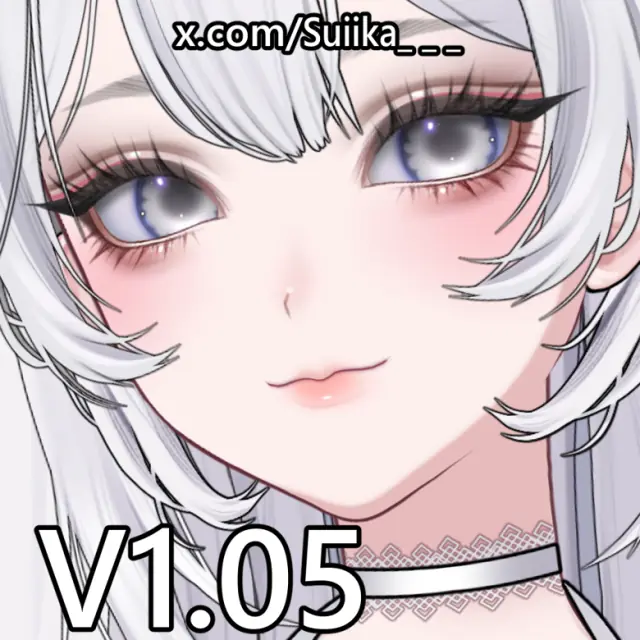
Customizable Vtuber Model By Suiika (1.02 & 1.03 & 1.05)
Live2D · Avatar
Enter the access code to open it in the archive.
Suiika's Official User Manual:https://docs.google.com/document/d/1d0x6Qj6s4hn3ninoaHO2vaJiG2MkiLw8Fv_YKseVa-M/edit?usp=sharing PLEASE READ! Due to the fact that many posts have been deleted and the information is all over the place, I am taking all the information and condensing it all into 1 post. Download Customizable Vtuber Model By Suiika v1.05 here: 🔗 Suiika v1.05 The ZIP file contains more ZIP files inside it so unzip the version you prefer and put it into the avatar folder for VTube Studio. (I suggest version B with resolution B2 as version A will not be supported in future updates and version C is just the head, also the 2k resolution is perfectly fine even if you zoom very close.) Open VTube Studio and load the version of the avatar that you installed. (This is the technical part) After the avatar is loaded you will see the watermark over the face, this watermark is actually 2 ArtMesh layers. Click the gear icon on the left of the screen. At the top click the icon that looks like a person with a gear next to its head. On the right side of the screen click the button that says "Customize Model". A list will pop up, this is the part that wasn't fully explained in all the other posts, click the button that says "Customize multiply/screen color for ArtMeshes" and then click Select. (Have patience, it will take a moment for it to load all the ArtMesh layers.) There will be a lot of layers, don't be intimidated, just scroll straight to the bottom of the list and you will see the layers "face_skin2" and "face_skin4", these are the ones that represent the watermark, one is the words and the other is the translucent background for it. These are what we will be working with. Toggle those 2 layers ON then click them to edit the properties. A window will pop up, the first is the Multiply window. Don't worry about all the options just go to the one labeled "A" slide it all the way to the left, that makes it invisible then click OK. The next window that pops up will be the Screen window, ignore all the other options, slide the one labelled "V" all the way up to pure white then hit OK. Then the window will close. Do this for both of the ArtMesh layers. Now you are done, both watermark layers are invisible and now you can just follow the manual for further customizations. I hope this made it easer for everyone. Have FUN!
!PLEASE CREATE A USER ACCOUNT BEFORE CHECKING OUT! Please read the License information at the bottom before buying!!! Current version: 1.05 Last Updated: (03/08/2025) DISCLAIMER: Due to this being an instant download, payment is non refundable. Please be aware of that before buying. This is a premade vtuber model, meaning the model is ready to be used right after download. It is the buyer's responsibility to make sure they can run OBS, vtubestudio and games on their pc at the same time before buying. I recommend at least 8-12GB VRAM GPUs and at least 16-32GB RAM. The model may be too big to be used on most mobile device, The model was made with the intend of being used on pc. Due to the model’s file size, it is not possible to be used with VNet Multiplayer Collab. Vbridger mouth tracking is included and recommended, however it can be used without as well. ----------------------------------------------------- Included in this download: - vtubestudio model folder containing all files nessecary to run the model in vtubestudio (4k & 2k texture sizes) - PSD file of texture atlas for easier texture editing -Txt file containting TOS and Link to user Manual NOT included: cmo3 file (live2d editing file) model layer psd file ----------------------------------------------------- Lots of customizable options! FACE/BODY EDITOR - face maturity - eye size/shape - brow thickness/length - moles/freckles/whiskers - human/elf ears - boob size HAIRSTYLES - 7 bangs - 4 frame/front hairs - 5 side hairs - 8 back hairs - 4 twintails/buns - 3 ahoges OUTFITS - 6 tops - 9 top add ons - 5 bottoms - 3 bottom add ons - 4 socks - 2 shoes ACCESSORIES - 4 chokers/necklaces - 2 choker add ons - glasses - hairband - earrings EXTRA - 2 horns - cat ears - bunny ears - puppy ears - fox ears - fluffy tail - thin tail - bat wings - wave arms - shy arms - 8 facial expressions -hue/saturation/contrast sliders for makeup, skin, hair, eyes, clothing etc. ----------------------------------------------------- Suiika's Customizable Model Terms And Conditions By purchasing and downloading the files you are agreeing to Suiika’s terms and conditions. Redistribution and Resale Buyers are not allowed to reupload, resell, or share these files with anyone else. Usage and attribution The buyer is allowed to use the model for making commercial video, streaming or social media content. It is prohibited to use the model to produce merchandise. Buyers are prohibited from using the model files to create hateful or inappropriate content. Nsfw is okay. Intellectual rights Suiika owns the intellectual rights to all files. You are not allowed to claim to be the rightful creator. Giveaways You are not allowed to do giveaways with the model. If you have previously entered a giveaway and the host tried to send the model files to you instead of sending you the money to buy it yoursef, do the right thing and report it to me please. Thank you so much for your cooperation. Refunds refunds are not possible due to this being an instant download of files. ---------------------- Available licenses (✓: allowed x: not allowed): ✓Personal, ✓Monetized Content, xCommercial merchandising The artist is the product asset licensor and may include additional license terms in their Terms of Service or the product’s description. -------------------------------- ✓Personal: For individual, non-commercial and non-monetized uses only Licensee: Individual x Commercial use: Not allowed ✓ Non-commercial use: Creation of digital or physical (ie. print) end products for personal enjoyment ✓ Creation and distribution of non-competing digital end products shared to non-commercial and non-monetized social and content platform accounts belonging to the Licensee x Distribution of asset file(s) “as-is” unless otherwise stated ✓Credit the artist: Required for all public uses unless otherwise stated xDo not claim credit, ownership, or copyright over the product asset ----------------------------------- ✓Monetized Content: For content creators and businesses who want to use the product asset as part of creating and distributing commercial and monetized digital content Licensee Individual or Legal Entity (Company) ✓Commercial use: Creation and distribution of digital end products shared to commercial and monetized social and content platform accounts belonging to the Licensee xCreation and re-selling of value-add or derivative digital or physical end products made with the product asset by the Licensee xDistribution of asset file(s) “as-is” unless otherwise stated ✓Credit the artist: Required for all public uses unless otherwise stated xDo not claim credit, ownership, or copyright over the product asset --------------------------- xCommercial merchandising (NOT AVAILABLE): For businesses who want to create, promote, and resell their own digital or physical end products made with the product asset. Licensee: Individual or Legal Entity (Company) xCommercial use: Creation, re-selling, and distribution of value-add or derivative digital or physical end products made with the product asset by the Licensee xCreation and distribution of digital and physical content to promote the re-selling of value-add digital or physical end products created by the Licensee xRe-selling the product asset “as-is” without any value-add activities xDo not claim credit, ownership, or copyright over the product asset